
Every ride, recorded.
A race-grade instrument panel while you ride, and the full raw journey captured underneath it — analysed on your phone the moment you stop. Free to use; Pro is one purchase, never a subscription.
A dashboard that learns your bike
Set it up before you move, then leave it alone. Everything else happens by itself.
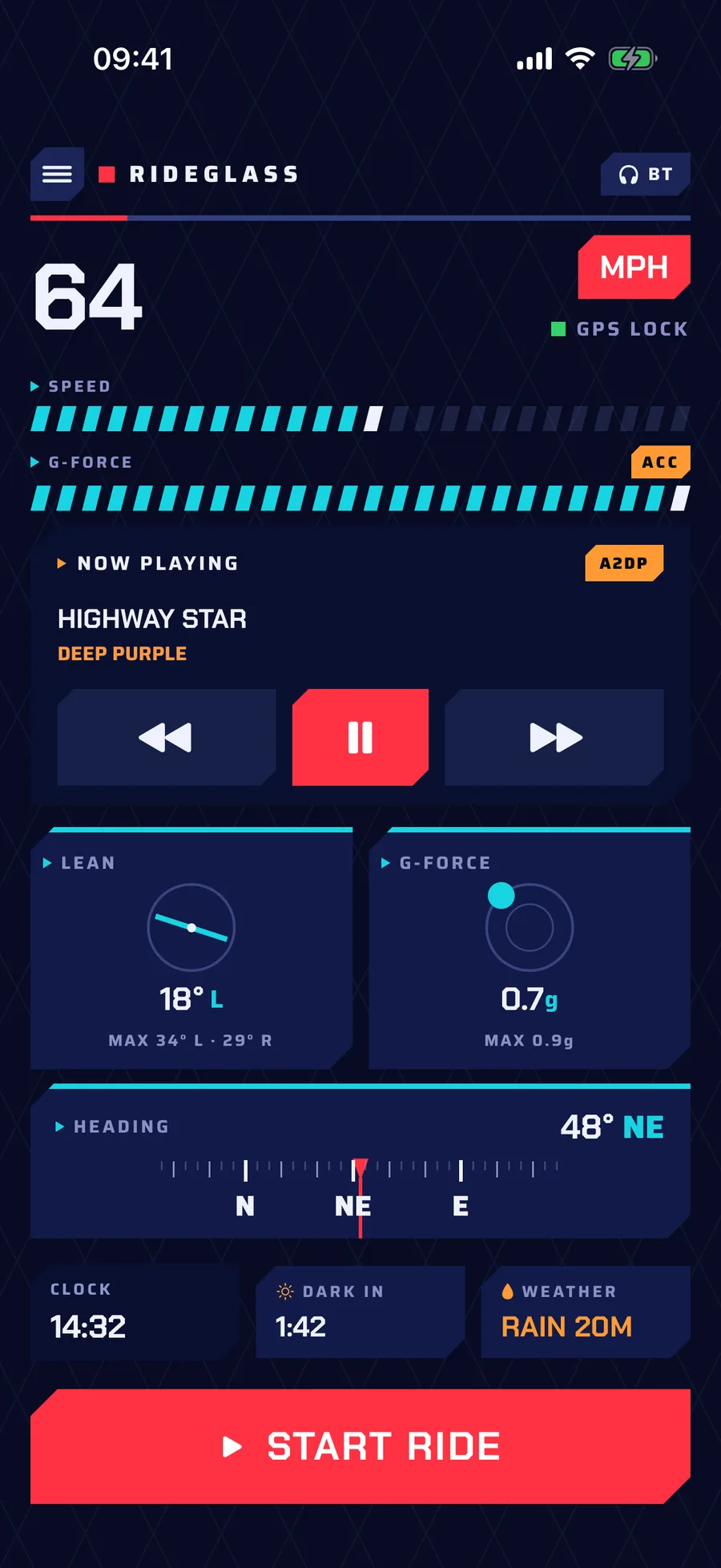
Live dashboard
Speed, lean angle, G-force, heading and ride time in one glanceable view, with a glove-friendly media panel when your intercom is connected — no interaction required while you ride.
- Gauges that adapt. Speed and G scales follow your own riding history instead of fixed maxima — with a “forget my bike” reset after a mount change.
- Readable through a visor. High-contrast mode for bright sun, portrait and landscape layouts, and day/night palettes that switch themselves at sunset.
- Free to use. The whole live dashboard sits outside the paywall.
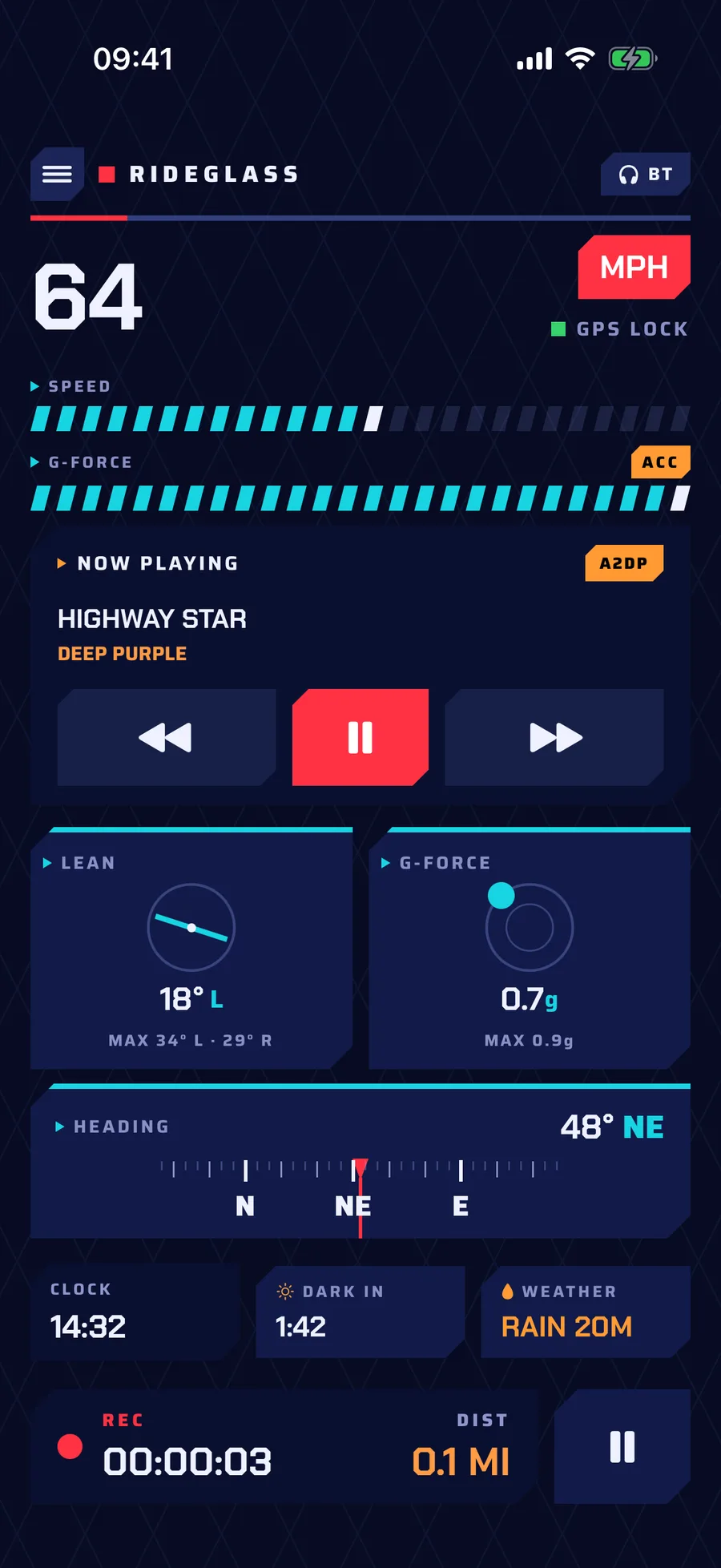
Press start, then forget it
RideGlass writes the whole sensor picture — GPS, accelerometer, gyroscope, device attitude, barometric altitude and pressure — continuously, at a resolution fine enough to see individual corners.
- Records with the screen off. Mounted on the bars, gloves on — with pause and resume that keeps stopped time out of your moving time.
- Any cradle reads correctly. Automatic lean zeroing plus per-sample mount context.
- Hard to lose a ride. A failed save gets a retry path, unsaved rides are backfilled at next launch, and a reminder nudges you if recording is still running.
Analysed before you take your helmet off
Your ride is processed on the phone as soon as it ends — summary, route, conditions, elevation and the road surface underneath it.
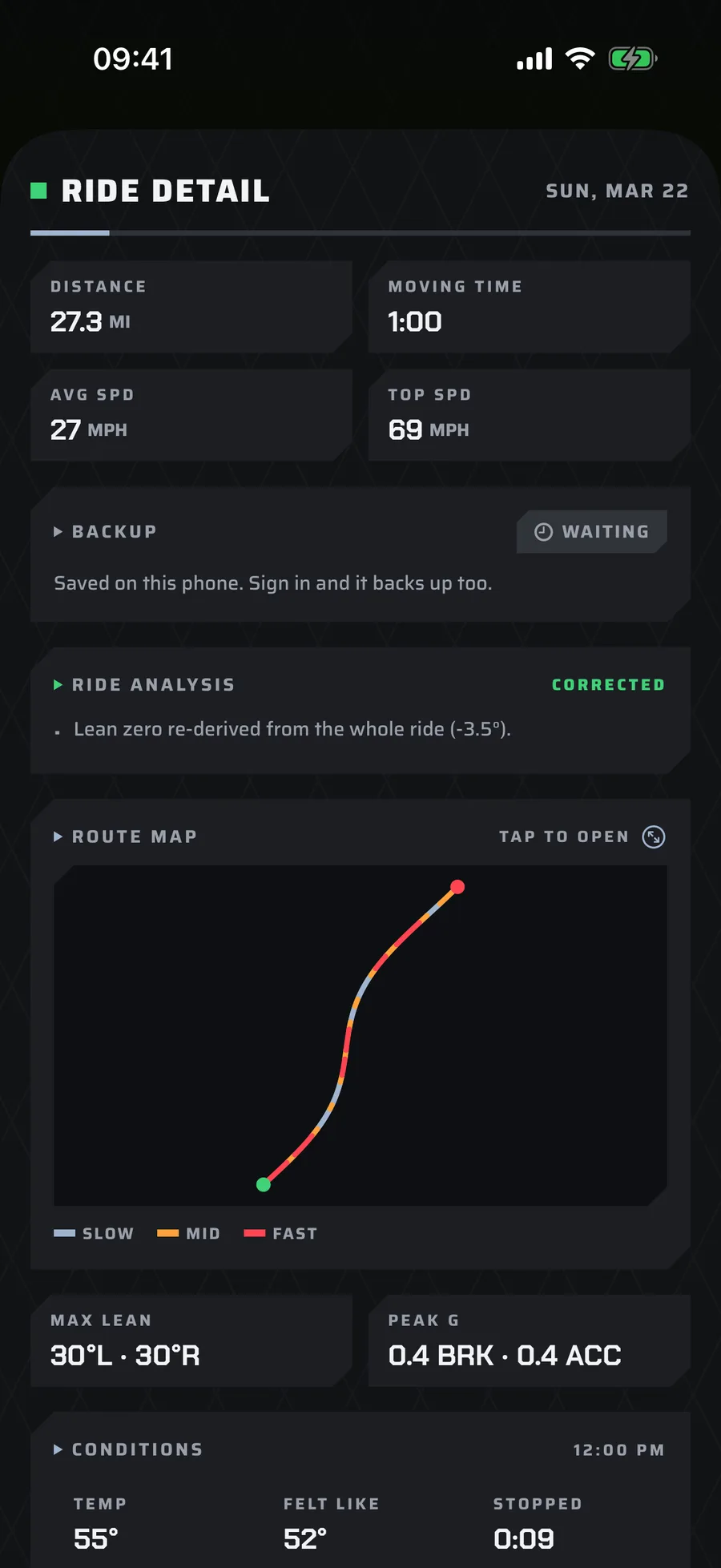
The numbers
Distance, moving time, average and top speed, max lean left and right, and peak G.
Elevation & gradient
Barometer and GPS fused into a climb profile neither sensor gives on its own.
Road surface
Impacts picked out of the raw vertical channel, pinned to your route with the worst hit and the speed it happened.
The conditions
The weather and the light you actually rode in, sampled through the ride rather than only at the start.
Your riding, on a map
Every completed journey reopens whenever you like, with a full-screen route map in standard, hybrid or satellite — coloured by speed, lean, acceleration or impacts.
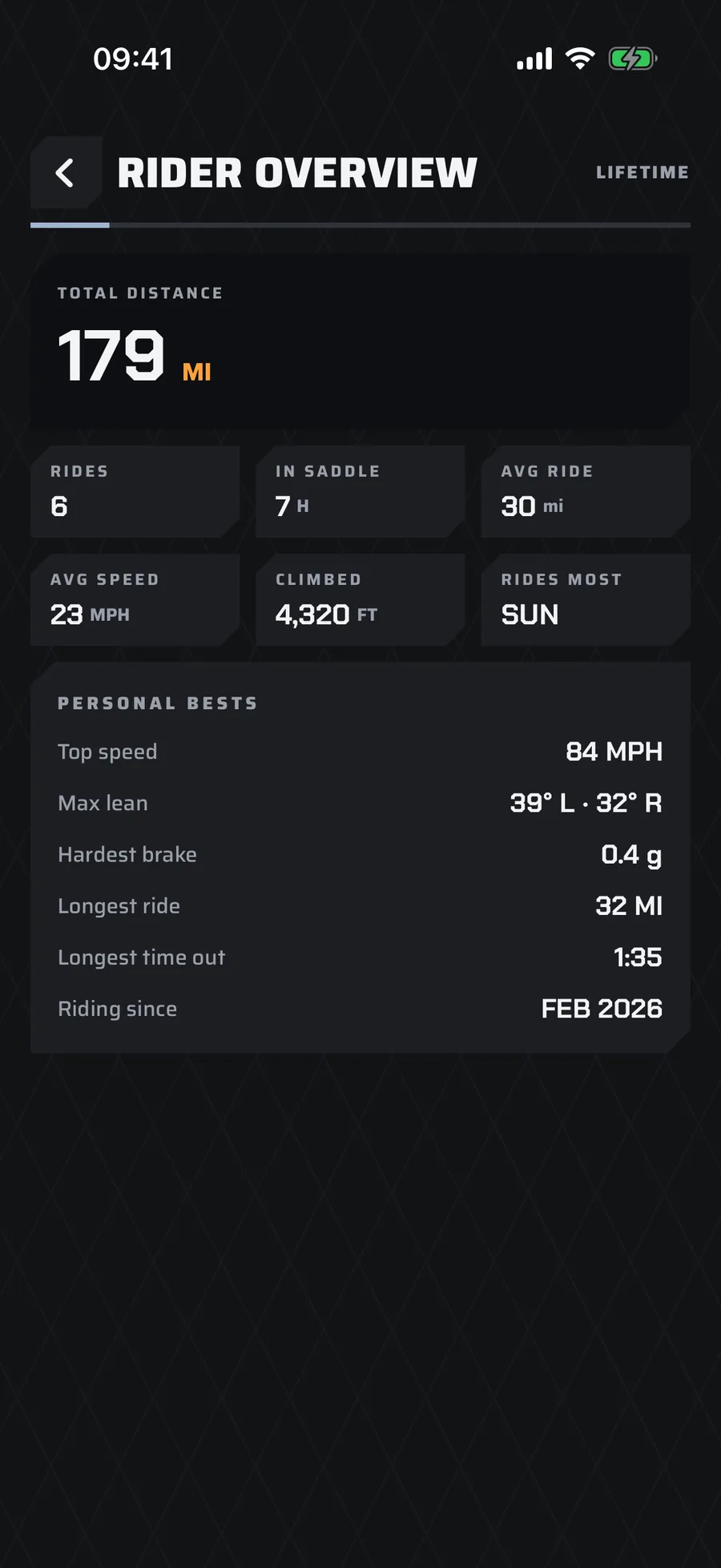
- Rider Overview. Lifetime distance, hours in the saddle, total climbed, cornering balance and your personal bests.
- Share or export. A readable ride summary through the share sheet, or every recorded sample as CSV.
The family link
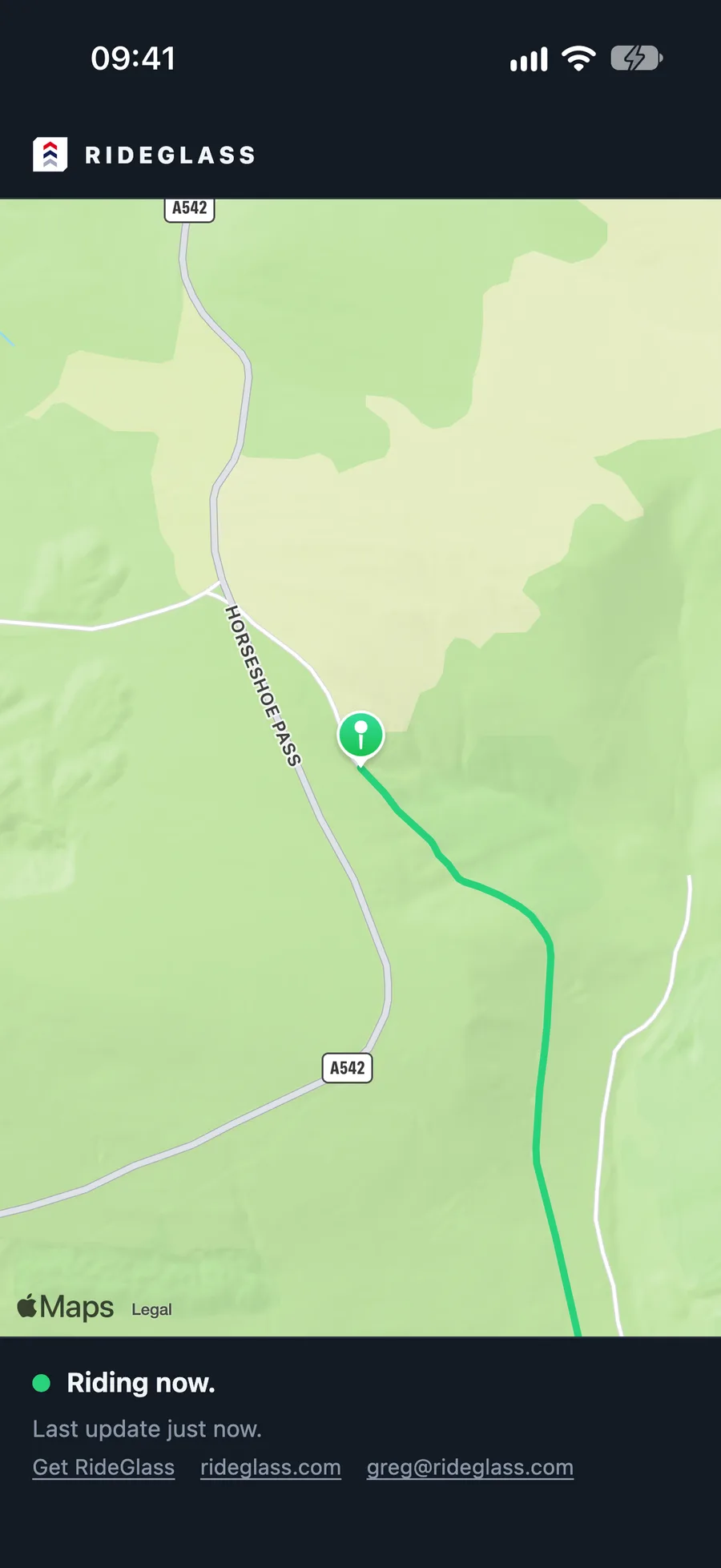
One link your family open in a browser to see where you are. They need no app, no account and no sign-up.
- A live dot and the ride’s breadcrumb while you are moving, and how long ago the last update was.
- They see you from the moment they open it — including where you set off from. The end of a finished ride is hidden.
- Stop sharing at any time and the link stops working at once.
- The family link is part of RideGlass Pro.
One-off unlock. No subscription.
The live dashboard — speed, lean, G-force, media and recording — stays free. Pro adds the analysis that builds up over time.
| Feature | Free | Pro |
|---|---|---|
| Live dashboard, recording, backup | Included | Included |
| Ride history | Last 8 rides | Unlimited |
| Advanced analytics | — | Included |
| Full data export | — | Included |
| Live Share — the family link | — | Included |
| Livery skins | Classic & Hi-Con | All seven |
| Export & share | One overview | Unlimited |
One-off purchase · restores across your devices · no subscription.
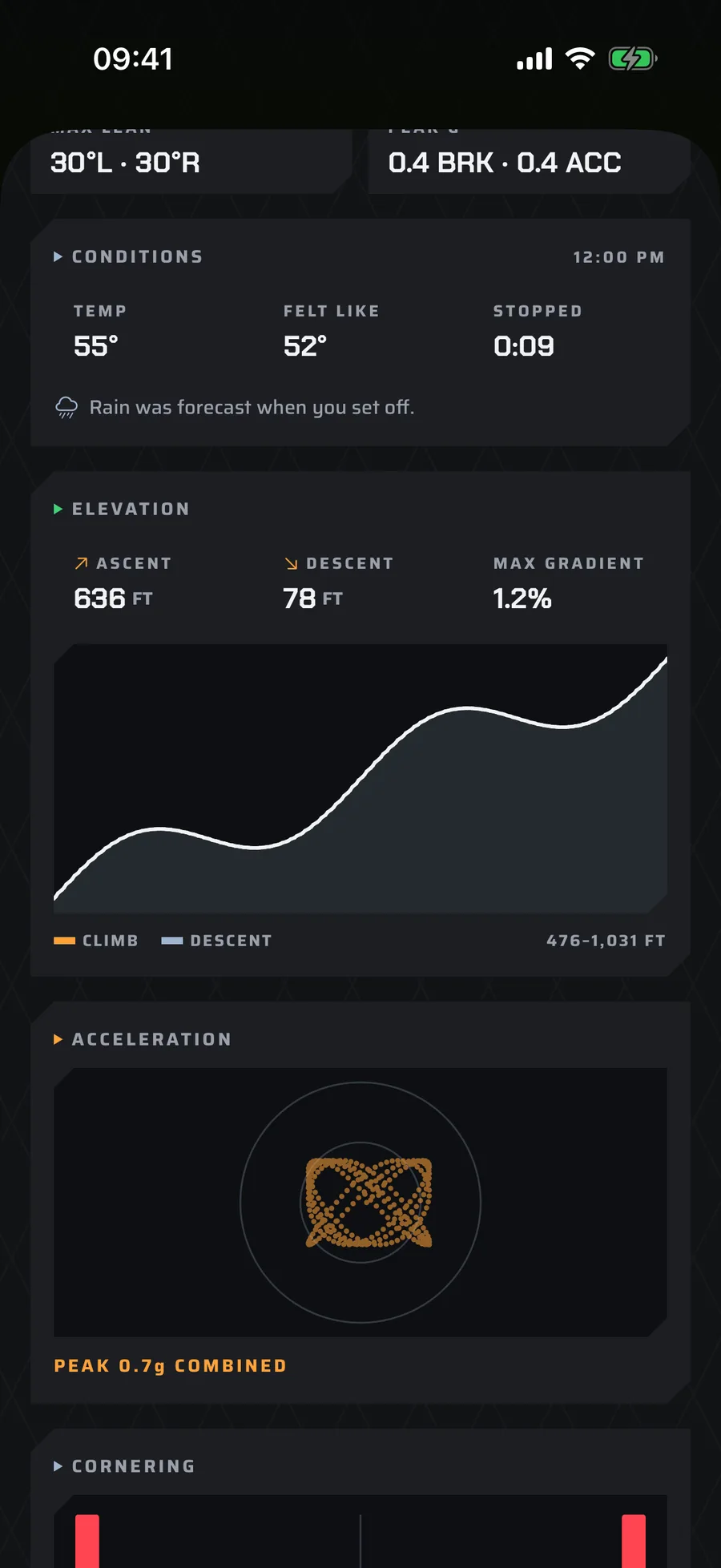
Cornering and brake/drive distributions, a friction circle, and lean, acceleration and impact colouring on the route map.
Every recorded sample as CSV, with a JSON sidecar of ride context, for your own analysis.
Dashboard colourways to match the bike, each with its own day and night palette.
Change phones, keep your rides
Ride first, decide later. Signing in with Apple is optional — do it whenever you want your journeys backed up and ready to restore.
Sign in when you like
Sign in with Apple is offered, never required. The rides you have already recorded come with you automatically the first time you sign in.
You can see the queue
Every ride carries its own upload badge, with a backlog banner and a retry action when something is still waiting.
Restore on a new phone
Sign in on a fresh device and pull your journeys back into history. Delete the account in-app without losing local rides.
Before you ask
Do I need an account?
No. You can install RideGlass and record straight away. Signing in with Apple is there when you want your rides backed up and restorable on another phone — and the rides you already recorded come with you automatically when you do.
Where do my rides live?
On your iPhone first. If you are signed in they are also backed up, with an upload badge on each ride so you can see what has gone up and retry anything waiting.
Does it record without signal?
Yes. Recording and the debrief run on the phone, so a ride is saved when you stop wherever you are. Uploads catch up when you have a connection.
What does RideGlass Pro add?
Unlimited ride history, advanced analytics — cornering and braking distributions, the friction circle, lean/accel/impact colouring on the route map — full CSV export, unlimited sharing, the family link, and the livery skins. It is a one-off purchase, no subscription, and the whole live dashboard stays free.
How should I mount my phone?
Any cradle works. RideGlass zeroes lean automatically and records mount context with every sample, so the angles read correctly whatever position the phone sits in — and “forget my bike” resets the learned ranges after a change.
Can I get my data out?
Yes. Free gives you a readable ride overview through the share sheet; Pro exports every recorded sample as CSV with a JSON sidecar of ride context.
Which languages are supported?
English, plus Spanish, German, French and Japanese — with VoiceOver and Dynamic Type throughout.
Is it safe to use while riding?
Set RideGlass up before you move. Always ride safely, obey local laws and never interact with your phone while riding.